Showing posts with label syntax highlighting. Show all posts

Saturday, June 1, 2013

smali syntax highlighting for sublime

i have been using sublime text 2 + androguard plugin for decompiling and am liking it very much. it doesn't do as well producing correct java as, say, dex2jar + jdgui, but it's sometimes easier to read. it doesn't handle try/catch blocks at all -- just ignores them. this means it's a great alternative for jdgui, which will error out on methods with overlapping try/catch stuff.

since i've been using sublime, i've also needed a smali syntax highlighter, which i found here: https://github.com/ShaneWilton/sublime-smali

it's the best syntax highlighter i've seen because of the line level syntax validation it does. when you write smali, you can be more confident it is correct with this. you should check out the regex if you're a fan of such tedium.

Thursday, March 3, 2011

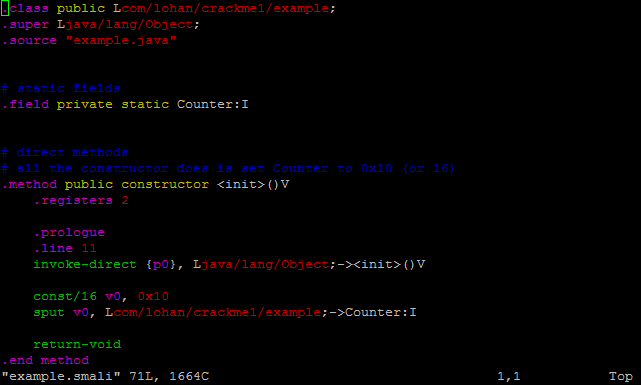
smali syntax highlighting for vim

i've been doing a lot in linux lately and was working on a smali syntax highlighting file for vim, but vierito5 posted a comment with a link to Jon Larimer, who beat me to it. here's the link:
http://codetastrophe.com/smali.vim
https://sites.google.com/site/lohanplus/files/smali.vim (mirror)

it's vim so there are 20 different ways to get it working. google around if this doesn't work, i will be no help. here is how i did it:
mkdir ~/.vim
echo au BufRead,BufNewFile *.smali set filetype=smali >> ~/.vim/filetype.vim
mkdir ~/.vim/syntax
cp smali.vim ~/.vim/syntax


Sunday, February 20, 2011

smali syntax highlighting for notepad++

update 10/8/2013:
thanks to Ádám Tóth for creating a dark themed version. i've linked to it next to the main version.

update: 11/10/2011:
thanks to Jho for pointing out how to get code folding to work. i updated the syntax file and made a few other tweaks. the link and picture have been updated and here are the instructions for installing (tested with v5.9.6.1):
View -> User-Defined Dialogue...


Click Import


Select smali_npp.xml
       no picture here, use imagination

There will be a message box that says "Import successful."
Any new files you open should have syntax highlighting.


several people have asked for smali highlighting for notepad++. thanks to furrelkt for having already sent me an example. here's what i've come up with: https://sites.google.com/site/lohanplus/files/smali_npp.xml
for dark backgrounds, try this:  https://sites.google.com/site/lohanplus/files/smali_npp_darkbg.xml


there are many limitations for notepad++'s user defined language. i could not get many tokens to highlight correctly, or as well as ultraedit or the highlighter used on this blog. perhaps a full lexer plugin could handle it. if you write one or make improvements to this xml, let me know.